
When more than one language is on the list for your company, the app can show its screens, and write your emails, in your language. Your choice is yours alone: it doesn't change anyone else's.
Steps
- Open the account menu (your name or initials, top right).
- Choose your language from the list.
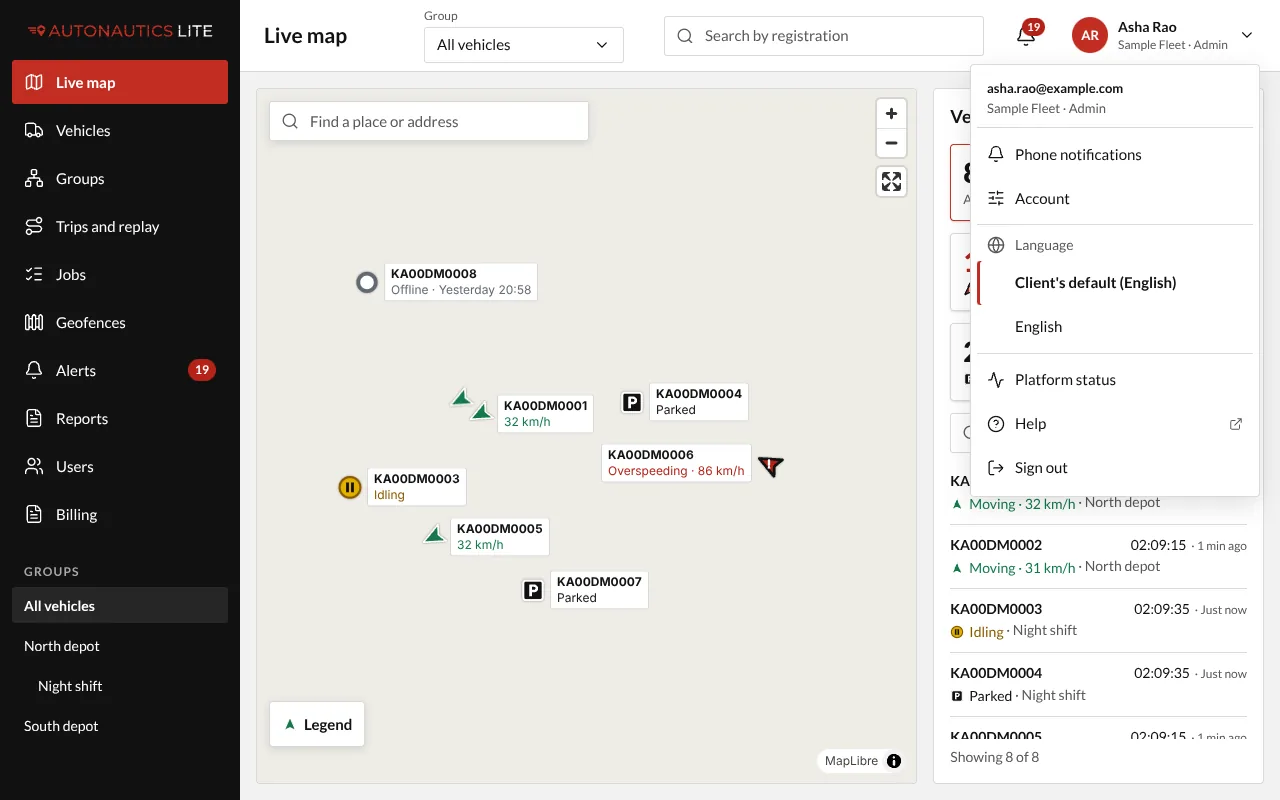
The screens change at once, and the emails you get from now on (sign-in codes, alerts, scheduled reports) come in that language too.
Before signing in: the globe in the corner of the sign-in page changes that page's language. If you pick one there, it becomes your choice when you sign in.
Good to know
- Until you choose, you see your company's default language, which your provider sets.
- Only languages a native speaker has checked are on the list. English is always there.
- Street names in trips, stops and alerts stay in English.