
Send anyone a link that shows where one vehicle is now, with no sign-in, until the link expires. For example, to tell a customer their delivery is close.
Steps
- On the Live map, click the vehicle to open its card.
- Press Share live location.
- Choose how long the link lasts under Link lasts: 1, 2, 4, 8 or 24 hours (4 unless you change it).
- Press Make link, then Copy link, and paste it into a message to the person.
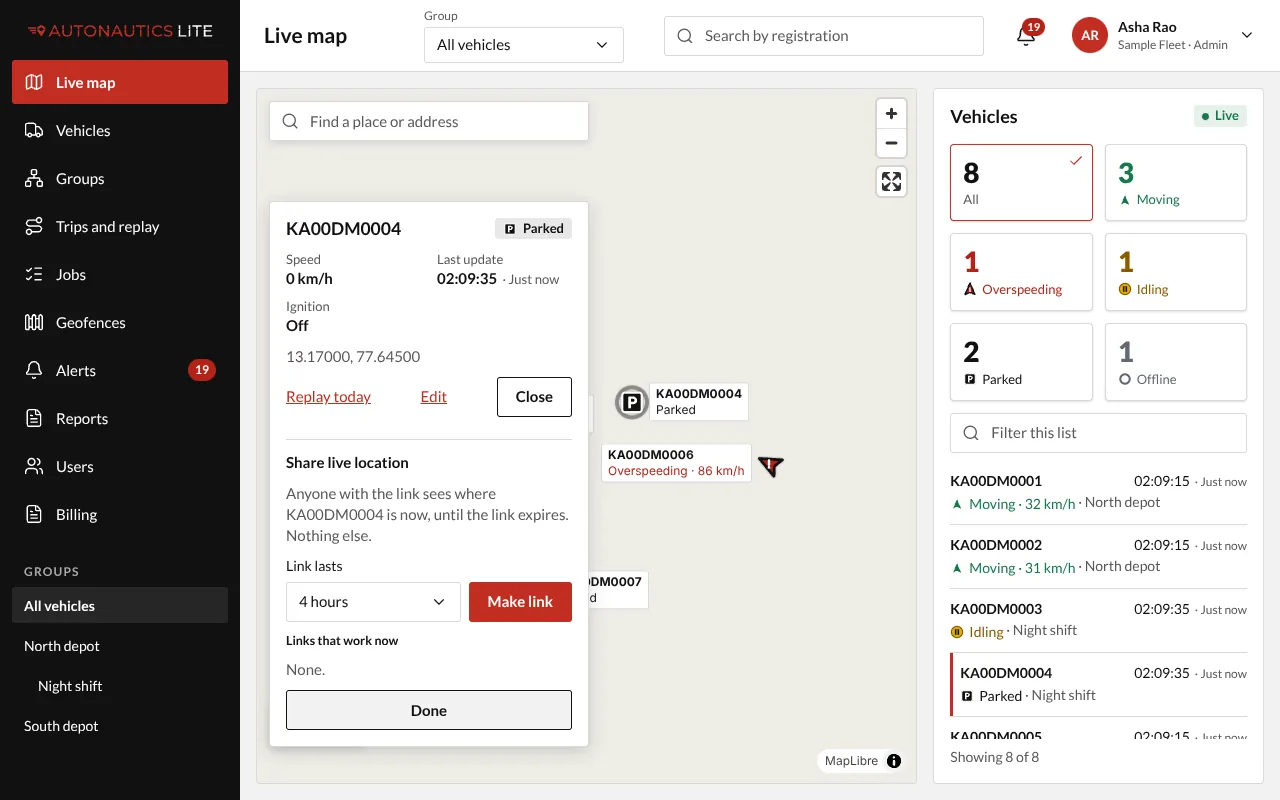
The link is shown only once. Copy it before you close the panel.
What they see
The vehicle's registration and position on a map, when it last reported, its speed, and when the link expires. Nothing else: no other vehicle, no route, no menu.
Stop a link early
Open the vehicle's card again. Under Links that work now, press Revoke on the link. It stops at once, and the person sees "This link has expired".
Good to know
- A link also stops when the vehicle is removed from your fleet.
- Any Admin or Manager can revoke any of your company's links.