
A vehicle shows Offline (grey, hollow circle) when nothing has been heard from it for more than 30 minutes. Almost always, the cause is the vehicle, not the app.
Check these first
- Is the vehicle in use? A vehicle parked with its engine off for a long time may stop reporting until it is driven again.
- Is it somewhere without signal? A basement, a workshop, a container or a remote road. It reports, and fills in its trips, once it is back in signal.
- Is the tracker powered? A loose or cut power wire is the commonest fault after fitting. Most trackers have a light that shows power and network.
- Does its SIM have data? An expired SIM plan stops a tracker with no other sign. If your vehicle list shows SIM may have expired, renew the SIM with whoever pays for it.
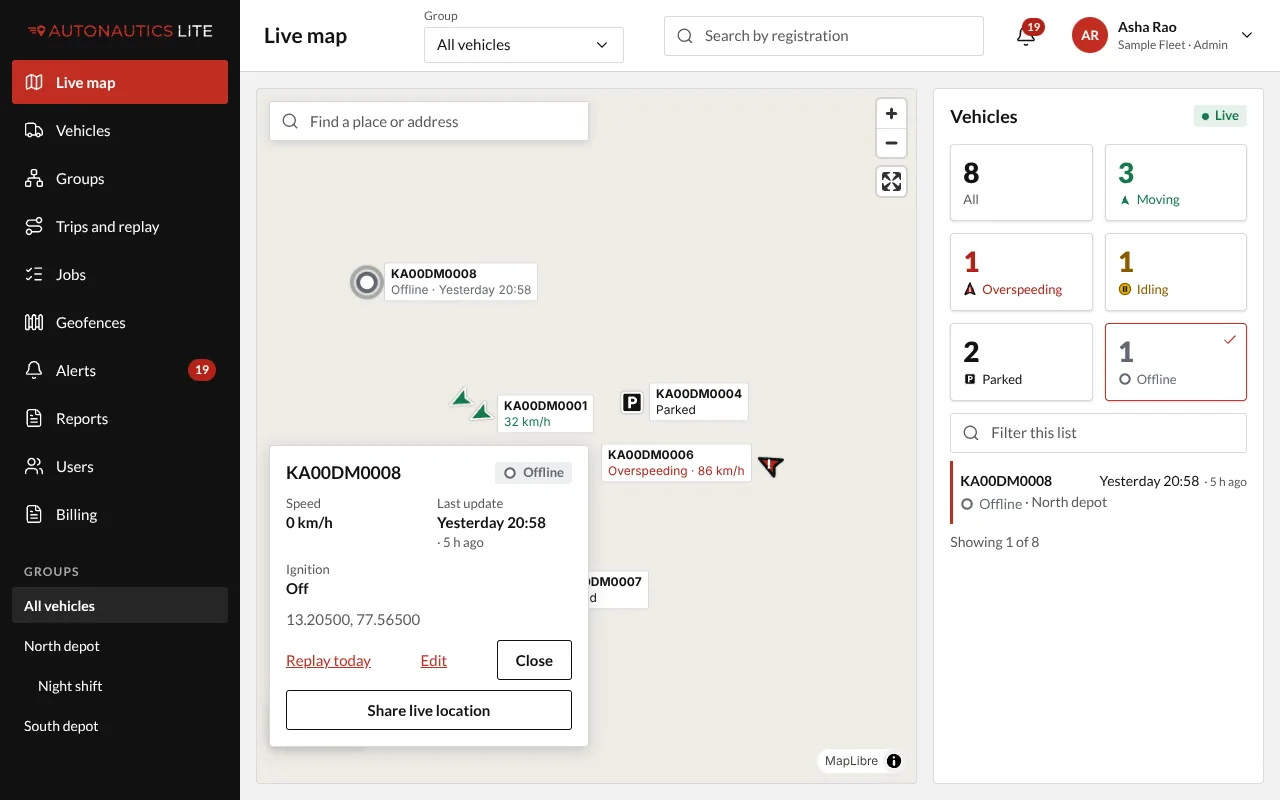
Still offline?
Contact support with the vehicle's registration and when it last reported. Don't send its position or your sign-in details.
A vehicle you just added
After Add vehicle, the form shows "Waiting for … tracker". It turns Live ✓ at the first position. If it hasn't after about 5 minutes, the form shows tips: the tracker's power, its mobile data, and the server address and port it must send to. Give these to whoever fitted the tracker.