
Get a report by email, with its spreadsheet (CSV) attached, every morning or every Monday, without opening the app.
Steps
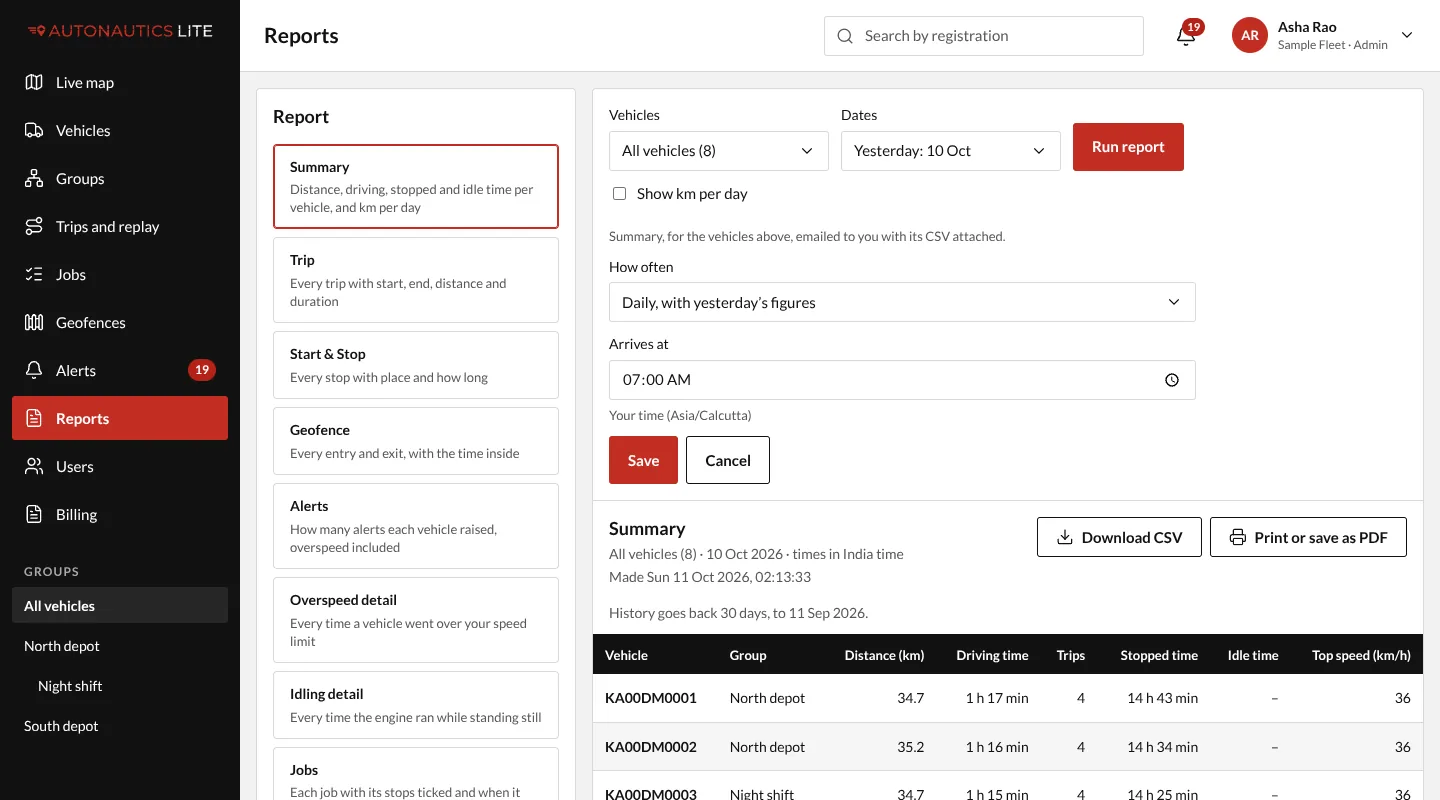
- Open Reports, and choose the report and the vehicles as if you were running it (see Run a report). Summary (with or without Show km per day), Trip and Start & Stop can be emailed.
- Press Email me this report.
- Choose How often:
- Daily, with yesterday's figures;
- or Weekly, with last week's, on Monday (Monday to Sunday).
- Choose when it Arrives at (07:00 unless you change it), in your own time.
- Press Save.
Change or stop one
Under Reports → My scheduled reports, press Change to change how often or when, or Delete to stop it. For other vehicles or another report, make a new one.
Good to know
- It goes to you only. Each person makes their own, up to 10.
- Kilometres per day: schedule the Summary with Show km per day ticked. An older Distance per day schedule keeps arriving, as Summary with km per day.
- A report over 5 MB isn't attached: the email links to Reports instead.
- It stops by itself while you are deactivated.