
Steps
- Press the bell at the top of any screen (it shows how many alerts nobody has acknowledged), or open Alerts.
- Choose a Day. The list shows that day's alerts, newest first: what happened (such as "Left Okhla depot" or "Speeding: 84 km/h (limit 70)"), the Vehicle, Where and the Time.
- Narrow it with the type and vehicle pickers if you need to.
- Press Acknowledge on an alert you have dealt with. It then shows who acknowledged it ("By …"), and leaves the bell's count. To acknowledge every new alert the list shows, press Acknowledge all at its top.
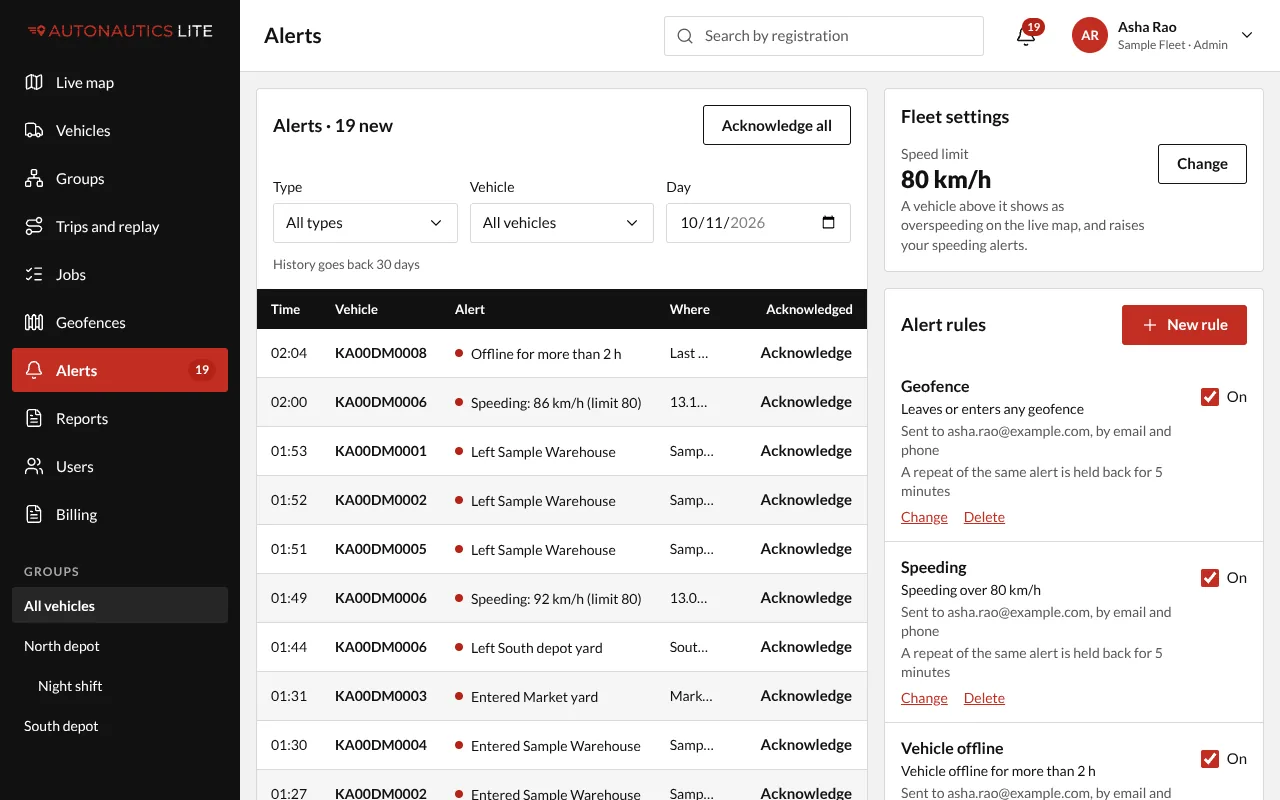
From an alert email or phone notification: press Open the alert. The Alerts screen opens on that day, with the alert marked.
Good to know
- Alerts are listed as far back as your history setting goes (see How long your history is kept, and your add-ons).
- To count alerts per vehicle over a week or a month, run the Alerts report (Run a report).
- A repeat held back by the rule's quiet period isn't an alert, so it isn't listed.