
Adding a vehicle takes two things: its registration and its tracker's IMEI, the 15-digit number on the tracker's label or box. Each vehicle uses one of your licences.
Steps
- Open Vehicles and go to Add a vehicle.
- Type the Registration, such as KA01AB1234.
- Fill in any other fields your Admin has switched on, such as Make and model, Driver name or Group.
- Last, fill in the Tracker IMEI:
- press Scan and point the phone's camera at the QR code or barcode on the tracker's label; the number fills in by itself;
- or type it;
- or pick one of Your spare trackers, if any show under the field.
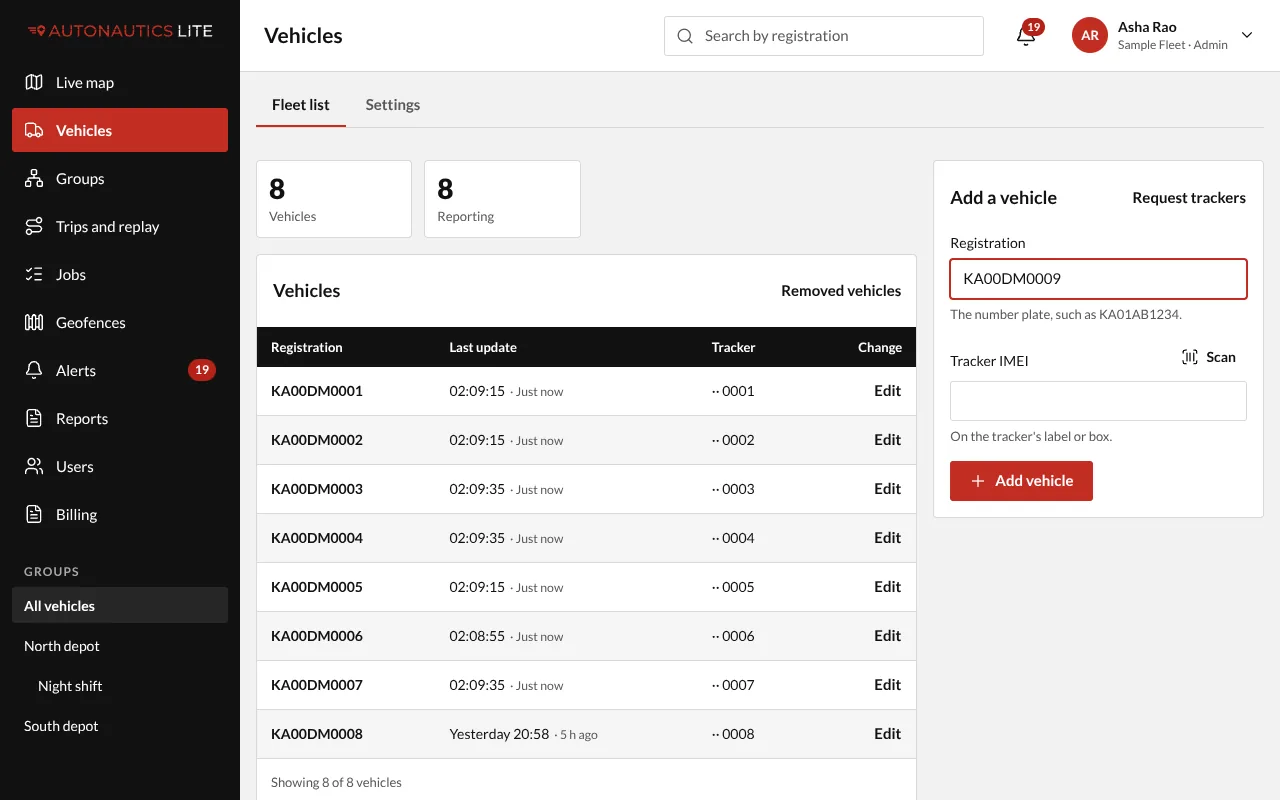
- Press Add vehicle.
The form then shows "Waiting for KA01AB1234's tracker…", and turns Live ✓ when the tracker sends its first position. You can add the next vehicle straight away: each keeps its own line.
A tracker you bought yourself
- A new tracker that no one else has is added straight away, like one of your own, with no wait for support. It becomes one of your trackers.
- A tracker another company already has isn't added. The app says, in green, "Sent to support for a check. We'll email you when it's done.", and keeps what you typed. Support checks whose it is and emails you; the app never says who has it. Once support has added it to your trackers, press Add vehicle again.
If it doesn't work
- "That tracker can't be added. Check the IMEI on its label. If it's right, send it to support for a check." The number isn't an IMEI. Compare it with the label, digit by digit, or scan it. If it is right, press Send to support for a check.
- "This tracker is already in KA01AB1234." It is in another of your vehicles. Swap it out of that vehicle first.
- No licence free. An Admin sees "All 10 licences are in use." with Buy licences (Buy licences). A Manager sees "All your licences are in use. Ask your Admin (…) to buy more.", with the Admins' names.
- "Too many tracker attempts. Try again in an hour." Each person can try 20 trackers an hour, and your company 50. Wait, then try again.
- "Waiting for … tracker" for more than 5 minutes. The form shows tips (power, mobile data, the server address and port). See A vehicle shows Offline.
- Which trackers work? See Which trackers work.